

AI Business Plan Generator
Create a Funding-Ready Business Plan — Free for 1 Month
Built on real requirements from 40+ US, UK & EU lenders.
Enter your email to activate your free 1-month access.

Sharing your business plan with investors is a crucial step in securing funding and demonstrating the viability of your project. Growexa provides multiple options for sharing your business plan, including online access via a shareable link and downloading the business plan and one page. For the business plan is also available downloading as a PDF.
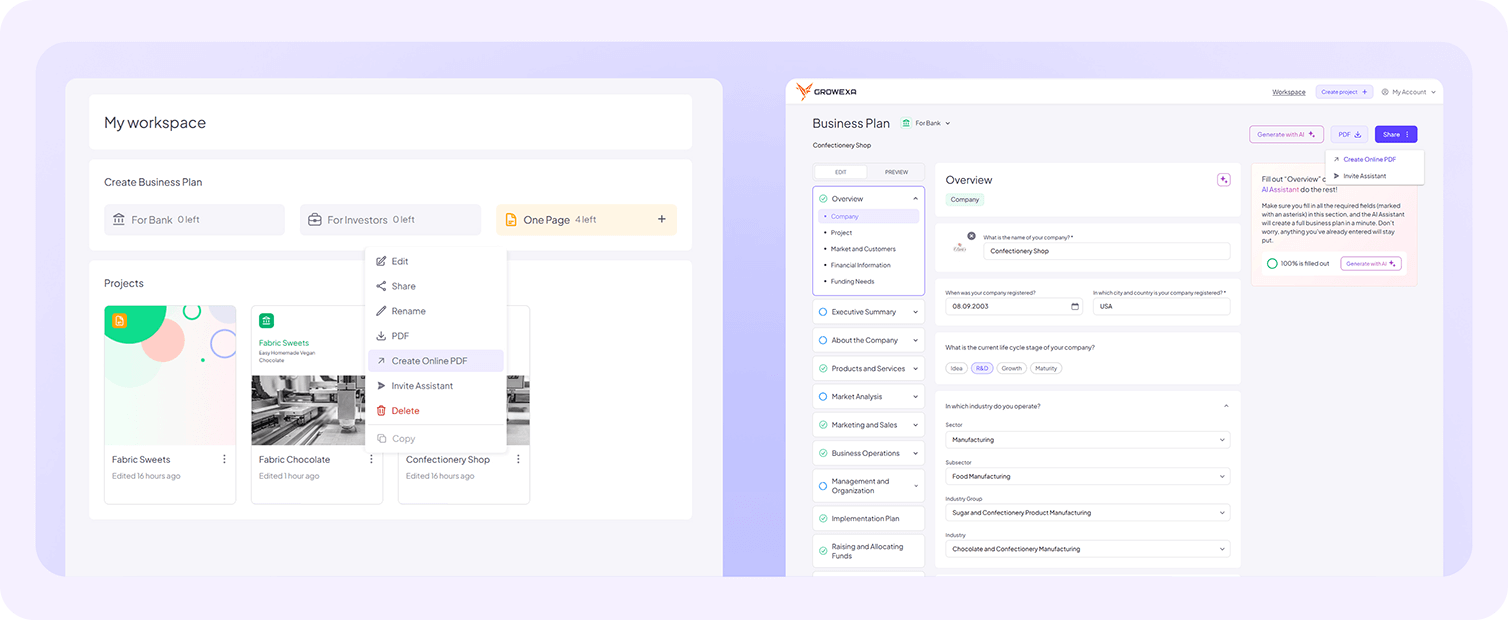
To share your business plan online, you must first generate an Online PDF version of the document. This ensures that the latest version is accessible to investors. You can do this by selecting your document in the workspace and choosing the Create Online PDF option. Alternatively, open the document, click Share, and select the same option.
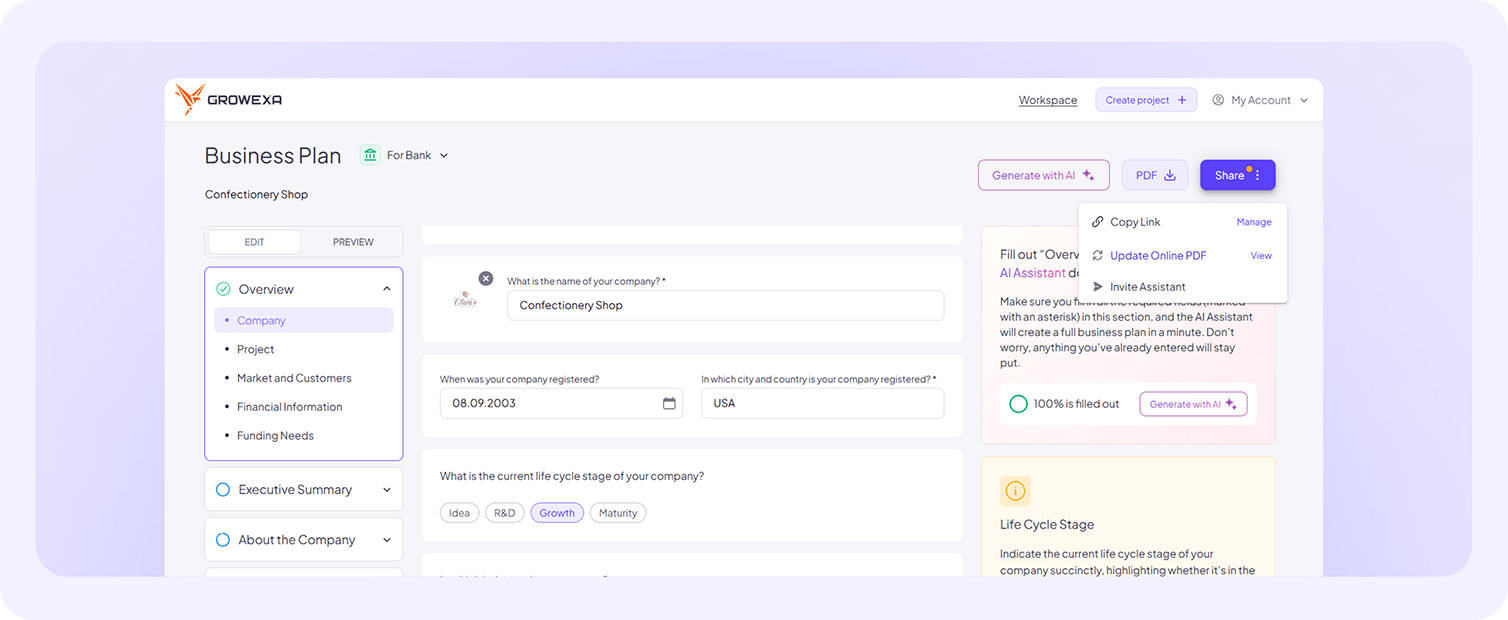
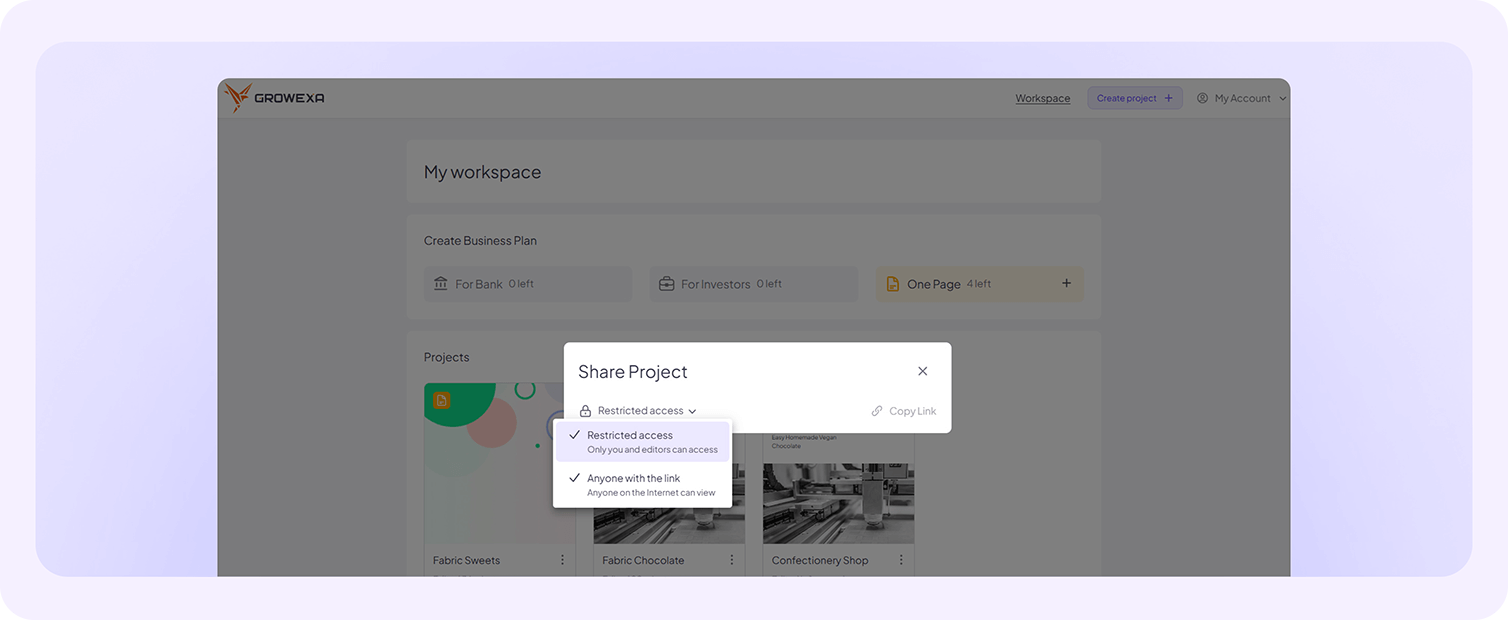
Once the Online PDF is created, you need to set up access permissions. You have two ways to do this: either click on the document in the workspace and change the access setting to Anyone with the link can access, or open the document, click Share, navigate to Manage link, and apply the same setting.
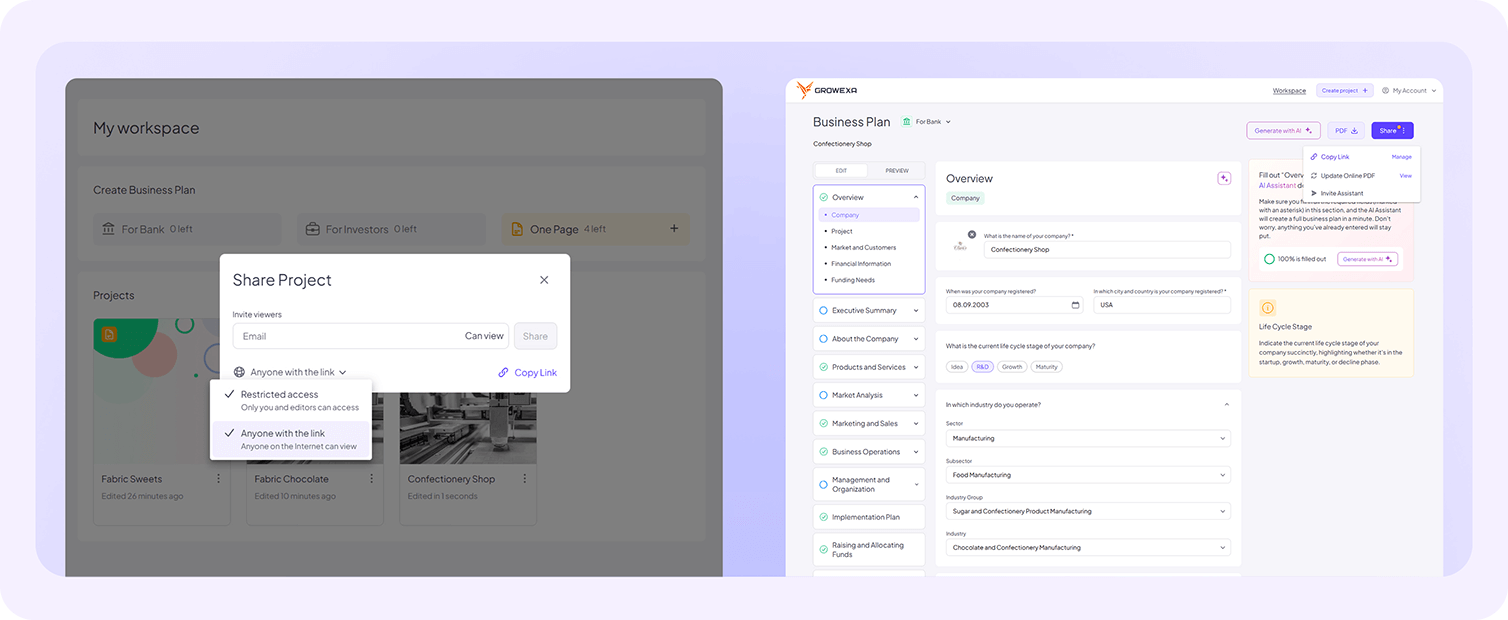
After access is granted, you can either copy the shareable link (from the workspace or document) or enter the recipient’s email address so that Growexa sends the link directly.
It is essential to note that if you make any updates to your business plan after sharing the link, you must update the Online PDF to ensure investors see the latest version. Failure to do so may result in outdated information being presented.
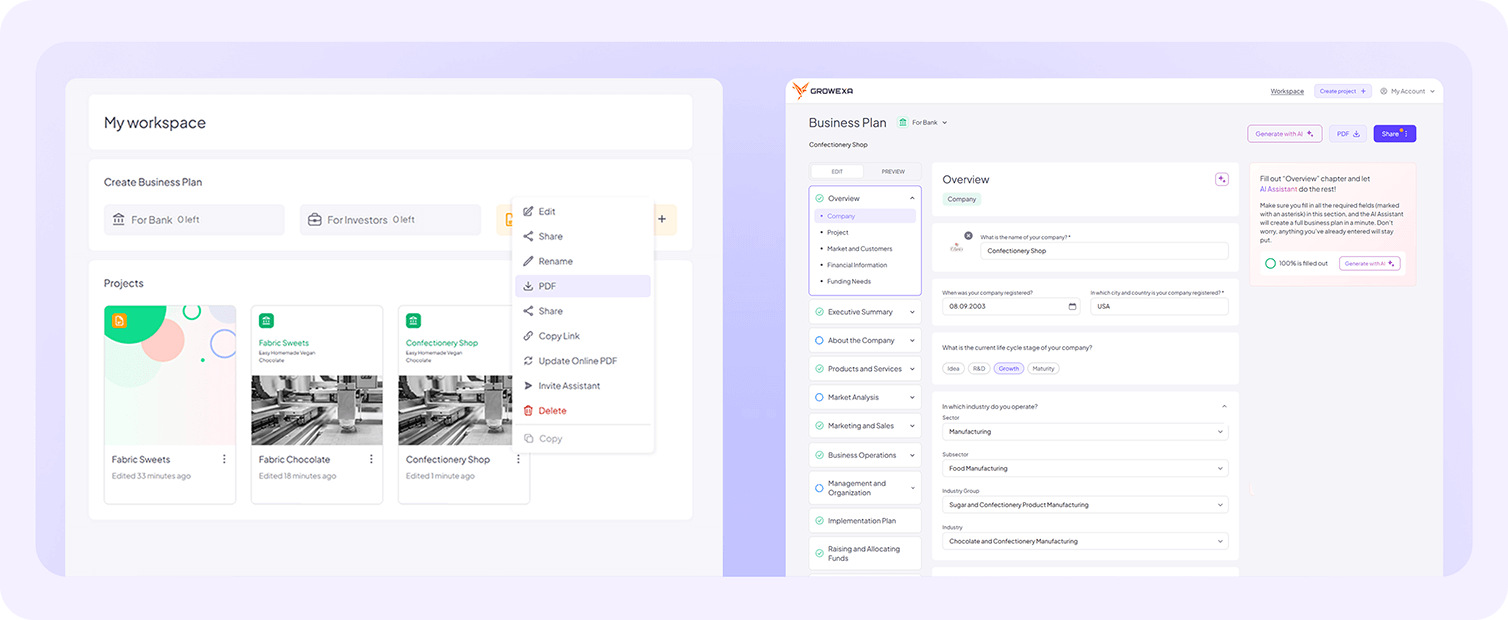
For those who prefer a downloadable version, Growexa allows you to download your business plan as a PDF. To do this, navigate to your document in the workspace and select the download option, or open the document and click the designated Download button. This option is particularly useful when you need a static copy of the plan for offline use or for submission to investors who prefer documents in PDF format.
If you need to share a one page instead of the full business plan, the process is even more straightforward. There is no need to create or update anything. Simply open the workspace or the document, click Share, and adjust the access settings to Anyone with the link can access. You can then either copy the link and share it manually or enter the investor’s email so that Growexa sends the link.
At any time, you can revoke online access to your business plan or a one page by modifying the link settings. Change the access permission from Anyone with the link can access to Restricted access, ensuring that only owner can view the document.
By utilizing Growexa’s flexible sharing options, you can seamlessly present your business plan to investors in a format that suits their needs while maintaining control over document access. For further guidance on sharing and downloading options, refer to additional sections in this guide or contact Growexa’s support team.