

AI Business Plan Generator
Create a Funding-Ready Business Plan — Free for 1 Month
Built on real requirements from 40+ US, UK & EU lenders.
Enter your email to activate your free 1-month access.

To collaborate effectively on a business plan within Growexa, users have the ability to invite assistants to edit their document. This feature facilitates teamwork and ensures that all collaborators can contribute seamlessly to the development of the plan.
Collaboration in Growexa is available only for business plans and does not extend to One Page. To invite a team member, you have two options:
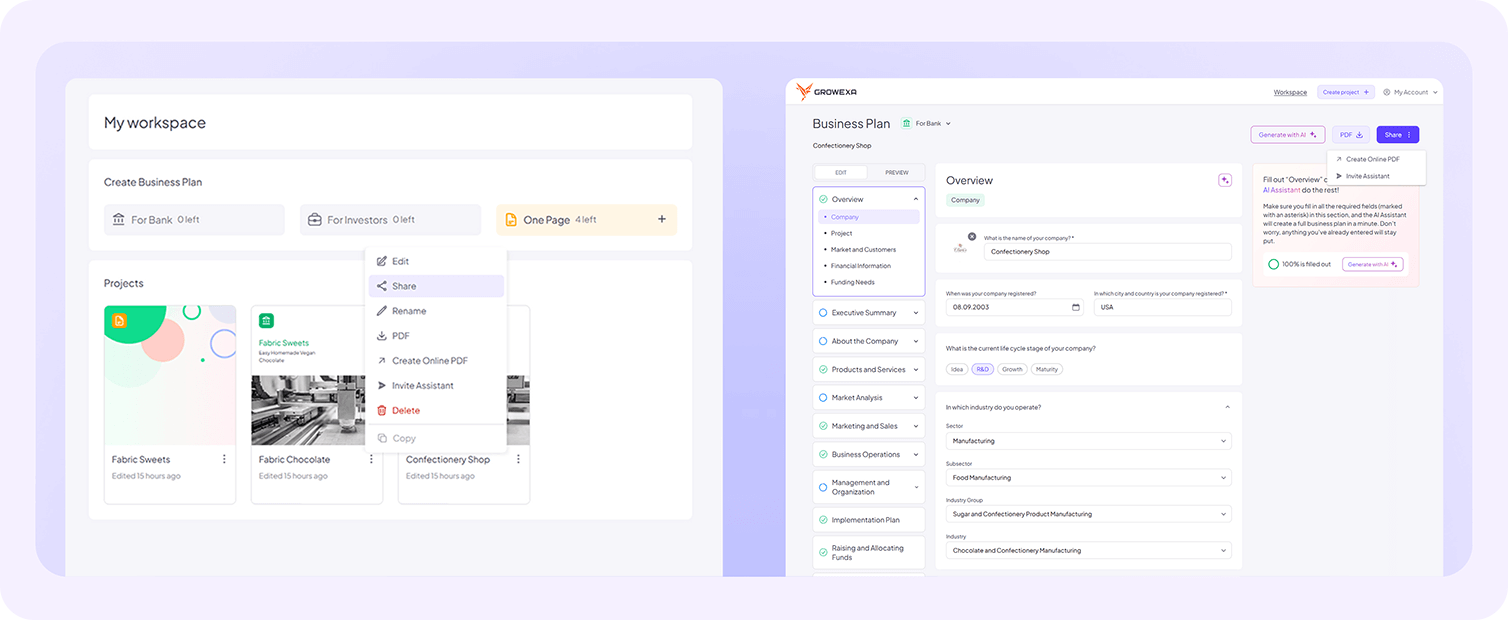
In both cases, you will be prompted to enter the email of the person you wish to invite. After entering the email, an invitation will be sent to the designated recipient.
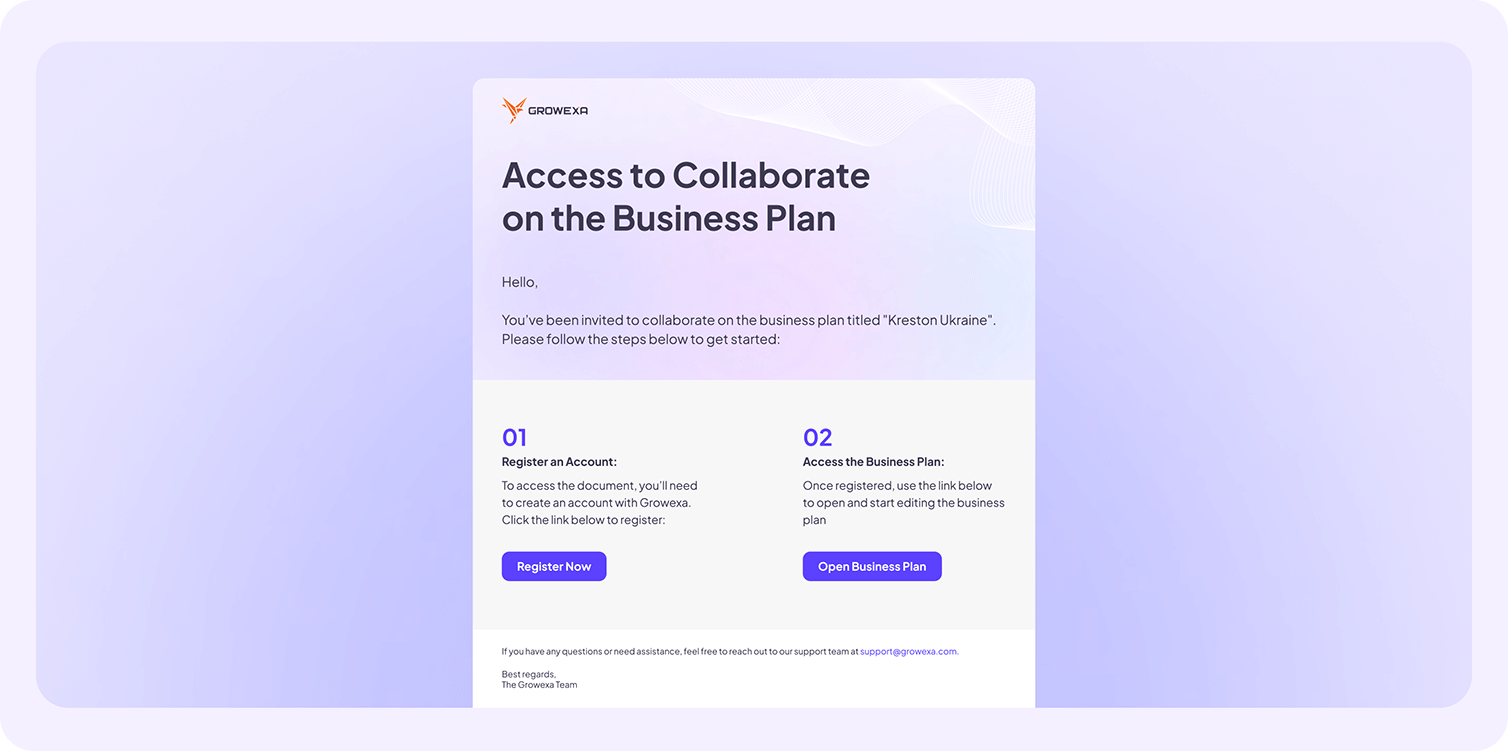
The email received by the assistant contains a direct link to the shared document, along with instructions for accessing and editing it. To begin, the assistant must first register for an account with Growexa. Once their account is created, they can use the link provided in the email to open the document and start collaborating immediately. It is important to note that the shared document will not appear in the assistant’s workspace and can only be accessed via the unique link sent to their email.
As a document owner, you should exercise caution when providing access. The assistant will have full editing rights, which means they can add, modify, or delete any content in the document. For this reason, it is advised to invite only those individuals you trust to collaborate responsibly on your business plan.
If at any point you wish to revoke a team member’s access, you have the same two options as when providing access. In your workspace, click on the document, or open it and access the sharing settings. Locate the email of the individual whose access you wish to terminate and click the "Remove". It will immediately remove their access to the document.
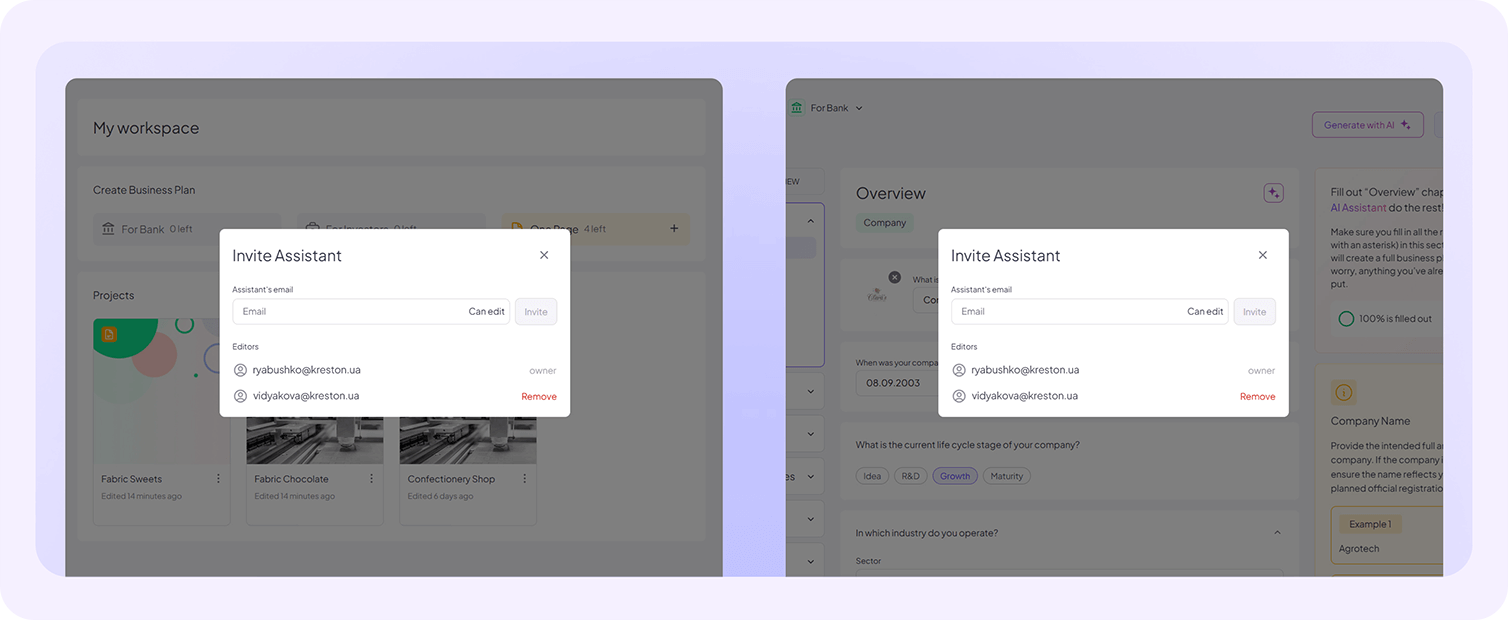
By carefully managing invitations and access rights, Growexa users can maintain control over their business plans while leveraging collaborative input to enhance the quality and comprehensiveness of their documents. For further details on managing collaboration, refer to additional sections in this guide or contact Growexa’s support team for assistance.